PlantSnap: Plant Identifier
- 3.8
- Rating
- 10.00M
- Installs
- Free
- Price

 Analysis by App-foxy
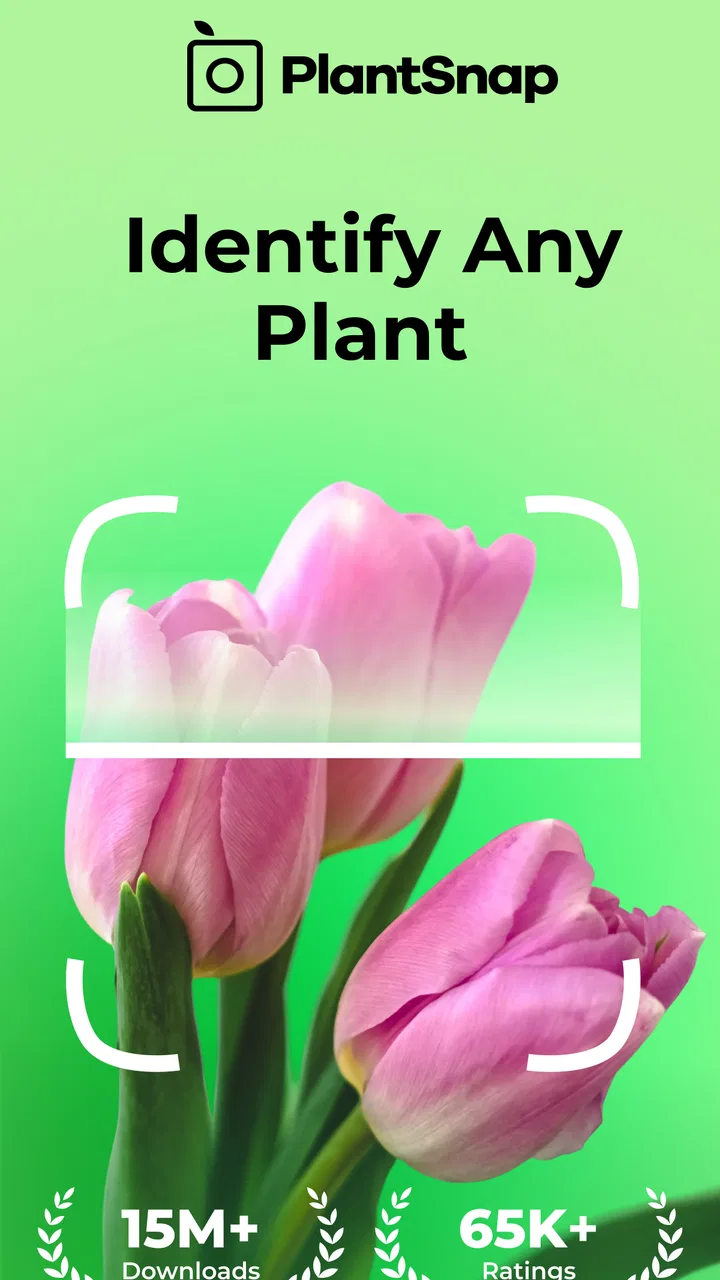
I like plant-identification apps most when they solve a small problem at exactly the right moment: I am walking through a park, notice an unfamiliar leaf, and want a useful starting point before I forget what I saw. PlantSnap: Plant Identifier is built for that situation. It is an education app from PlantSnap, Inc. that uses image-based identification to help recognize plants, leaves, trees, and flowers, while also presenting itself as a plant-care companion.
My overall impression is that it is more useful as a quick field guide than as a final authority. A clear photograph can turn curiosity into a likely identification in a few moments, but the result still deserves a visual check, especially when the plant may be edible, poisonous, invasive, or difficult to distinguish from a close relative. Use the app to narrow the possibilities, not to replace careful botanical judgment.
What the app feels like in everyday use
The basic appeal is immediate. Instead of searching through long lists of plant names, I can begin with the thing in front of me. That makes the app approachable for beginners, parents answering a child’s question, gardeners trying to sort out volunteer plants, and walkers who want to remember what they encountered outdoors.
You May Also Like

 Blood Strike: 2.5 Anniversary
Blood Strike’s Loadouts Turn Every Drop Into a Tactical Gamble
A close look at Blood Strike’s custom loadouts: how fast access to signature weapons reshapes its battle royale rhythm, rewards preparation, and narrows the gap between fights.

 Pandora - Music & Podcasts
Pandora’s Music Is Easy to Start, but Harder to Recover
Pandora’s strength is its low-effort path from a seed to a station. Its weak spot is how much confidence it asks you to place in connection, setup, and quiet recovery.

 8 Ball Pool
 Is Built on Rivalries, Rematches, and Routine
A close look at the rivalries, rematches, shared routines, and unanswered safety questions that turn a quick pool match into a persistent mobile community.

 Samsung Music
’s Quiet Strength Is Playing What You Already Own
Its reach comes less from spectacle than from dependable access to a personal library. That simplicity is both the app’s strongest retention engine and its ceiling.

 AccuWeather: Weather Radar
AccuWeather Review: A Quick, Clear Forecast for Everyday Decisions
For everyday plans, the best forecast is the one you can understand quickly. AccuWeather makes rain timing, radar, and local conditions easy to act on, with a few trade-offs.

 Hill Climb Racing
Why Hill Climb Racing Still Turns Crashes Into One More Run
A tiny car, a bumpy hill and one more upgrade: Hill Climb Racing keeps resurfacing because its simple chaos makes every near-miss feel personal.
More From Our News Desk
View All News


Its education category is a good fit because the value is not only the label. Identification encourages me to notice details I might otherwise ignore: the shape of a leaf, the arrangement of flowers, the texture of bark, or the overall structure of a tree. Even when the first result needs checking, the process teaches me what visual clues matter.
The free entry point also lowers the barrier to trying it. PlantSnap is free to download, with optional in-app purchases ranging from $0.99 to $49.99 per item. That combination makes sense for casual exploration, although anyone who dislikes upgrade prompts should pay attention to the screen before confirming a purchase. The app is rated for Everyone, so it can fit a family learning activity, but younger users should still be guided when they photograph unknown plants or handle anything outdoors.
The current version is 8.0.2 and it runs on Android 8.0 or later. That matters for people using an older phone: before planning a trip around the app, I would check the operating system rather than assuming every Android device can install it. On the popularity side, it has passed 10 million installs, with a 3.8 average from roughly 95 thousand ratings and about 8.7 thousand written reviews. Those figures suggest a widely tried product with a mixed, rather than universally enthusiastic, reception.
Why the camera result is only the beginning
A plant photo contains less information than a human observer usually thinks. One close-up leaf may look convincing while hiding the features that separate two similar species. I get better results when I treat the camera as a way to provide evidence, not as a magic scanner. I try to include the whole plant first, then take a second image showing the leaf, flower, fruit, or bark that seems distinctive.
This two-stage habit is one of the most useful ways to use the app. A broad image gives context about growth habit and scale; a closer image gives detail. If the plant is a tree, a trunk and canopy view can be more informative than a single leaf. For a flowering plant, the flower and leaves together are usually a stronger visual record than a blurred bloom alone.
Lighting makes a noticeable practical difference. Harsh shadows, strong backlighting, wet surfaces, and crowded backgrounds can make a plant look unlike itself. I prefer a steady image taken in soft daylight, with the subject separated from nearby foliage. I also avoid photographing through glass or while walking. A few extra seconds spent framing the subject can be more valuable than taking many rushed pictures.
Connectivity changes the timing of identification
The most important practical limitation is that image-based identification is not something I would plan around as a guaranteed disconnected field tool. The experience can depend on the phone being able to communicate with the service, so a weak signal may turn a simple question into a waiting screen or an unsuccessful attempt. I would not rely on it as my only resource during a remote hike, in a basement greenhouse, or anywhere I already know reception is unreliable.
That does not make the app useless outdoors; it changes how I prepare. In a city park, botanical garden, neighborhood, or campsite with dependable mobile data, the network requirement may barely enter my thoughts. In a rural location, I take the photograph while I have a connection, or I record the plant manually and investigate later. The key is to avoid assuming that a camera-based app automatically works everywhere the camera works.
Connectivity can also affect the rhythm of learning. When a result arrives quickly, I can identify several plants during one walk and compare them while the details are still fresh. When the connection is poor, repeated attempts become frustrating, and I am more likely to accept the first partial answer rather than inspect the subject carefully. That is why I see this as a connected reference tool, not a substitute for a printed guide or previously saved notes on a trip far from service.
Using it in real mobile situations
My favorite scenario is a short neighborhood walk after rain. Plants are easier to notice, and I can stop beside a garden edge or a tree, take a contextual image, and then capture a detail without carrying a notebook. The phone keeps the activity light. I can later use the name as a starting point for learning about the plant’s appearance and care rather than trying to remember an unfamiliar word.
Gardeners can use the same workflow when a new shoot appears in a pot. I would photograph it before pulling it out, because an early identification may reveal that the volunteer is something worth keeping. The important trade-off is that garden beds often contain overlapping leaves, labels, supports, and soil. A clean angle from the side can be more useful than a top-down view that makes every plant look like a green pattern.
For parents and teachers, the app works best as a prompt for observation. Instead of asking a child to accept a name immediately, I would ask, “What did the app notice, and what do we notice?” That turns an uncertain result into a small lesson about comparing leaves, flowers, and growth patterns. It also avoids presenting automated recognition as infallible.
Travelers may find it helpful for recognizing ornamental plants in public spaces, but location can complicate identification. A plant that is common in one region may be cultivated somewhere else, and similar species may appear together. I would use the result to decide what to research next, then compare it with a regional field guide or a local botanical source.
What happens when the first attempt fails
Failure is not always dramatic. Sometimes the image is simply too busy, the subject is too small, or the plant is at an awkward stage of growth. My recovery process is straightforward: step closer, remove visual clutter from the frame, include another part of the plant, and try again under better light. If the subject is moving in wind, I wait for a calm moment rather than repeatedly submitting blurred images.
If the network is the problem, I avoid wasting time pressing the same control over and over. I keep the clearest photograph and note where I found the plant, whether it was flowering, and what the leaves looked like. Once the connection improves, that information helps me judge the result. If I am already home, I can compare the suggestion with a trusted reference instead of treating the delayed answer as an emergency.
A wrong identification needs a different response from a failed upload. If the app produces a plausible name that conflicts with the plant’s visible features, I retake the image and look for agreement across several views. I also treat safety-related questions more cautiously. I would never eat a plant, make a remedy, or allow a pet near an unknown specimen solely because an image result sounds confident.
This is where the app’s convenience can become a weakness. A fast answer feels authoritative, particularly when the name is unfamiliar and the photograph looks convincing. The responsible workflow is to use the result as a shortlist. For difficult species, I would confirm with a regional guide, a knowledgeable gardener, or a local expert who can inspect the plant in context.
Being sensible with mobile data
Because the central activity involves photographs and connected identification, I would use it thoughtfully on a limited data plan. I prefer Wi-Fi when I am reviewing many plants at home, especially if I am testing several angles of the same subject. Outdoors, I take one carefully composed image before sending repeated near-duplicates. This saves time as well as data and encourages better observation.
I also avoid turning every passing plant into a separate session. A practical compromise is to photograph several subjects during a walk, making sure each image is clear and easy to match to its location, then identify them when the connection is convenient. That approach works particularly well for a garden visit or a nature trail where stopping constantly would interrupt the experience.
Privacy is another reason to frame carefully. I keep house numbers, faces, personal documents, and unrelated background details out of plant photographs whenever possible. This is good phone hygiene regardless of the app, and it produces cleaner images at the same time. A close, intentional composition is better for recognition than a wide shot that accidentally includes half the yard.
Battery use also matters in mobile contexts. Camera work, screen brightness, and network activity can all compete with the battery needed for navigation or emergency calls. I would not spend the final part of a long hike identifying every plant. The app is most enjoyable when it supports the outing rather than becoming the reason the phone is constantly active.
How it compares with familiar alternatives
The usual alternative is a traditional field guide. A book is slower for a beginner, but it offers regional context, comparison images, and a browsing process that does not depend on a live connection. For a remote trip or a serious identification, I prefer having that kind of reference available. PlantSnap is more convenient when I want an immediate starting point and do not yet know which page or plant family to investigate.
Another alternative is a general web search. Searching manually can reveal more detailed articles, but only after I have a useful description or suspected name. That is the exact gap this app fills: it helps transform a photograph into a direction for further research. The trade-off is that a web search makes it easier to compare multiple sources once I have narrowed the subject.
Local gardening groups and experts remain valuable for unusual plants, regional varieties, disease symptoms, and questions involving care. An image identifier may recognize the plant but not explain why its leaves are yellow, whether the soil is suitable, or whether a local lookalike is common. I see PlantSnap as the first pass in that chain, not the final specialist consultation.
For someone who wants a structured learning experience, the app’s greatest strength is immediacy rather than depth. I can begin with a real plant instead of memorizing terminology first. Someone who wants a complete botanical reference, detailed regional taxonomy, or dependable remote use may be happier combining a field guide with expert resources.
Who should use it and who should skip it
I would recommend trying it if you are curious about plants, just starting a garden, taking nature walks, or looking for an easy activity to share with children. It is especially suitable for people who want to learn through photographs and are comfortable checking an answer before acting on it. The free price makes experimentation easy, while the optional purchases leave room for users who decide they want more from the service.
I would be more cautious if you live with unreliable connectivity, have a strict mobile-data limit, or need legally or medically dependable identification. The same applies if your main goal is diagnosing a plant disease rather than naming the plant. A name can help with later research, but it is not automatically a treatment plan.
People who dislike camera-based suggestions may also prefer a conventional guide. The app asks for a degree of trust in visual recognition, and the mixed 3.8 average reflects that this convenience will not feel equally reliable to everyone. I can accept occasional uncertainty because I use it for curiosity; a user expecting perfect answers from every photograph may become disappointed quickly.
My connectivity verdict
PlantSnap: Plant Identifier is strongest when used as a connected first step between seeing a plant and learning more about it. It makes casual discovery faster, gives beginners a practical way into plant vocabulary, and fits naturally into walks, garden checks, and family activities. Its usefulness depends heavily on image quality and the circumstances around the photograph, so thoughtful framing matters more than simply pointing the camera at greenery.
I would install it for everyday exploration, but I would prepare a backup method before heading somewhere with uncertain service. I would also keep the app’s suggestions separate from safety decisions and confirm anything important through a reliable botanical source. Used with those boundaries, it is a friendly educational tool rather than an overpromising authority.
For me, that balance is the deciding point. The app earns a place on my phone because it removes the intimidating first step of plant identification. It does not eliminate the need to look closely, compare evidence, or learn from other references—and that is not necessarily a flaw. The best experience comes when the quick result sends me back to the real plant with better questions.
FAQs for PlantSnap: Plant Identifier
01What is PlantSnap: Plant Identifier used for?
PlantSnap is designed to help you identify plants, flowers, trees, mushrooms, and other vegetation from a photo. After taking or uploading an image, the app compares visible characteristics with its database and suggests a likely match. It can be useful for gardeners, hikers, students, and anyone curious about plants, although results should be treated as guidance rather than a scientific confirmation.
02How accurate is PlantSnap when identifying plants?
The app can provide helpful identifications when the photograph is clear, well lit, and shows important details such as leaves, flowers, bark, or fruit. Accuracy may vary depending on the plant’s growth stage, image quality, regional species, and database coverage. For unusual or visually similar plants, it is wise to compare the suggestion with reputable botanical sources or ask an expert.
03Does PlantSnap require an internet connection?
PlantSnap generally works best with an active internet connection because image analysis, database searches, account features, and some plant information may rely on online services. You may be able to access previously saved discoveries without being connected, but identification capabilities can be limited offline. If you plan to use it while hiking or traveling, check the app’s current offline options beforehand.
04Is PlantSnap free to download and use?
PlantSnap can typically be downloaded at no initial cost, but some identification tools, plant information, unlimited usage, or additional features may be restricted by in-app purchases or a subscription. Before confirming a trial or premium plan, review the displayed price, billing frequency, renewal terms, and cancellation instructions in the Google Play Store or Apple App Store.
05Can I rely on PlantSnap to identify poisonous or edible plants?
You should never rely on PlantSnap alone to decide whether a plant is safe to eat, touch, or use medicinally. A mistaken identification can cause serious illness, especially with mushrooms, berries, and plants that resemble toxic species. Use the app as a preliminary reference only, and verify any safety-related conclusion with a qualified botanist, local authority, or trusted field guide.
Pros
- Identifies many plants from a single photo in seconds.
- Useful for learning plant names during hikes or garden visits.
- Includes a broad database covering flowers
- trees
- and houseplants.
- Lets users save discoveries for later reference.
- Available on both Android and iOS devices.
Cons
- Accurate results depend heavily on clear
- well-lit photos.
- Some advanced features require a paid subscription.
- Rare or visually similar species may be identified incorrectly.
- The app can use considerable storage for cached images and data.
- Frequent identifications may require an internet connection.

PlantSnap: Plant Identifier
Gallery